FX Graph 3: Powerful Graphing Made
Dead Simple
FX Graph is really easy to use - it is dead simple. So simple that secondary
students will be using it to solve problems within minutes of first seeing
it.

As a quick example, think how long it would take you to draw this graph,
with the annotations, in your current graphing package. In FX Graph 3 it
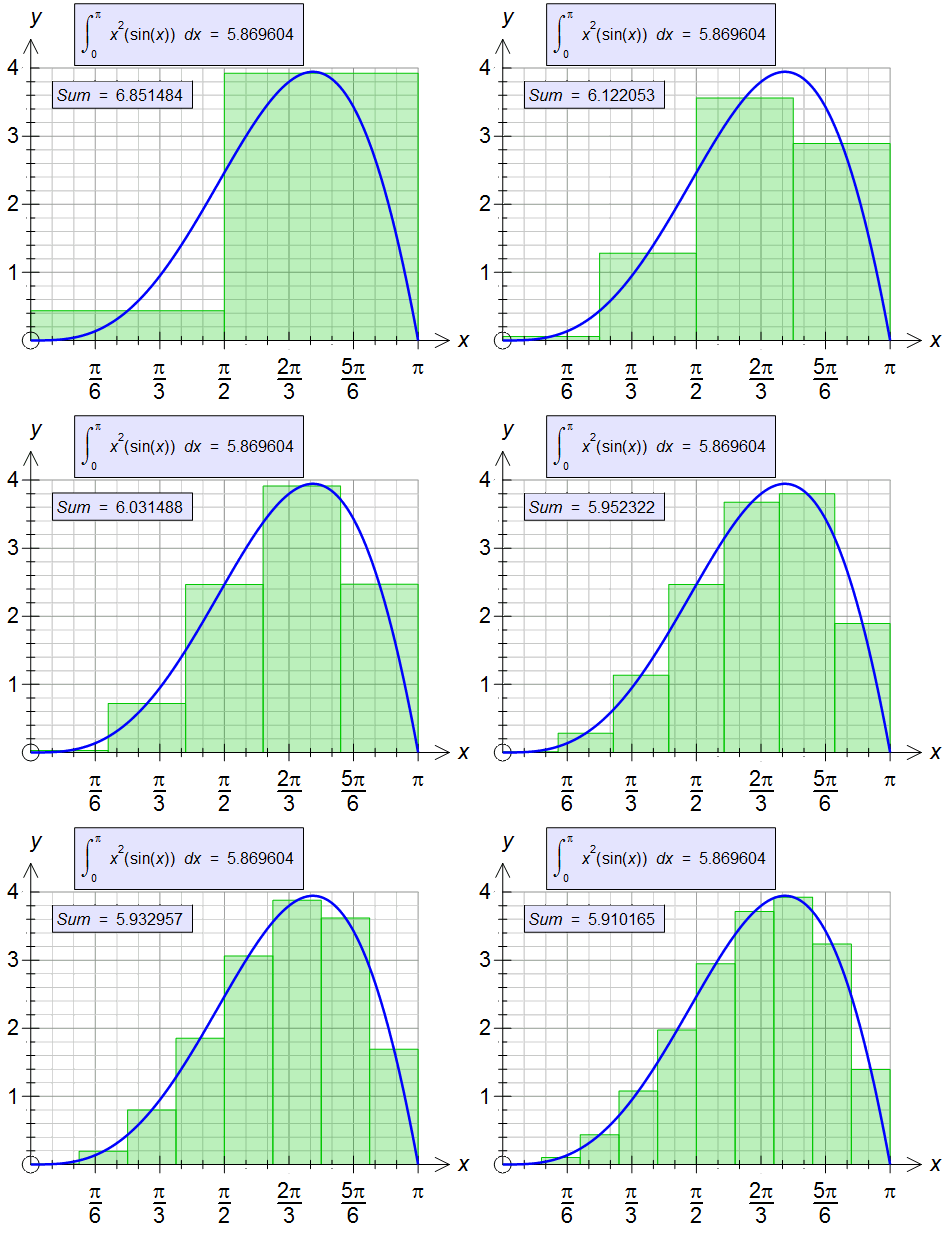
takes seconds. FX Graph finds all the points of interest and displays them
automatically as you move your mouse around the screen. One click and the
annotation is added to the graph.
Does simplicity limit versatility? Not with FX Graph 3. FX Graph has a
large number of capabilities - far more than we can show you here.
- FX Graph makes setting axes about as easy as it can be - it can even
be totally automatic. Axes that would take minutes to create with other
graphing packages can be created in seconds.
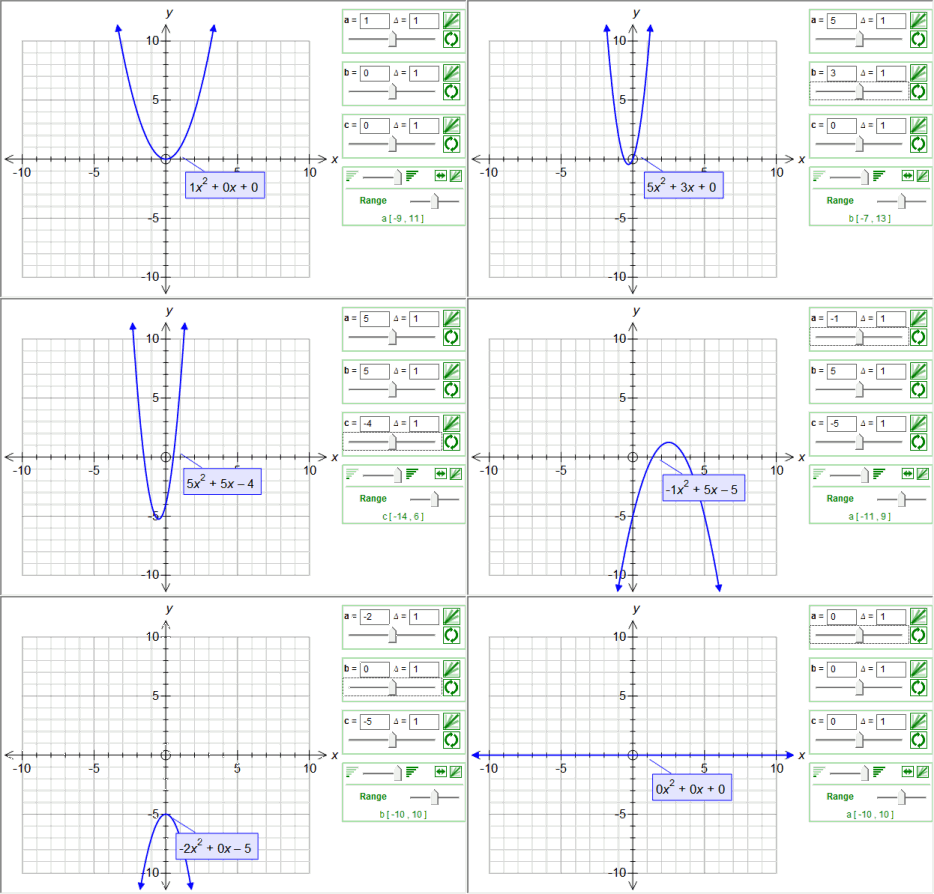
- FX Graph uses Efofex's equation technology. Equations are entered
as the student sees them. There are very few "tricks" to learn.
- Finding Points of Interest (maxima, minima, intercepts, asymptotes,
point discontinuities, points of intersection, points of inflection)
is easy. FX Graph automatically calculates all points of interest and
displays them when the mouse is close. There is nothing to learn - just
move the mouse.
- Annotating graphs - adding labels to important points is easy. FX
Graph allows you to add comprehensive annotations to graphs with a simple
click. When FX Graph AUTOMATICALLY displays an important point, ONE CLICK
will turn it into a permanent annotation.
- FX Graph will let you draw graphs exactly the way you want them. Our
international focus means that just about every option is available.
- FX Graph is designed to be simple to use with a very small learning
curve. Thirteen year old, average students will be using it to graph
functions in minutes. Eighteen year old, talented students will not find
it limiting.
I Already Use FX Graph 2. Why Upgrade?
Because FX Graph 3 has addressed every issue that has been raised
with FX Graph 2. Very quickly, the extra things that FX Graph 3 can
do include:
- More Power - Easier to Use
- Implicitly Defined Functions & Conics
- Feasible Regions
- Constants and Animations
- Annotations
- Zooming
- Points and Vectors
- Equal Aspect and Fixed Size scales
- Dozens of Other Improvements
- As an existing user of FX Graph 2, we will rebate 40% of your existing
licence against any purchase.
What Can FX Graph 3 Do?
- Graph Cartesian, inverse, conic, implicitly defined, polar
and parametric relationships.
- Analyse most functions and provide
information on important points automatically.
- Plot points, groups
of points and vectors.
- Graph on equal aspect and fixed scale axes
- Automatically detect
asymptotes and point discontinuities in rational functions.
- Show
tangent lines and 1st and 2nd derivative curves.
- Calculate and
display definite integrals including areas to the y axis.
- Zoom
and graph on broken axes.
- Easily annotate your graph using automatically
generated text.
- Graph inequations and the feasible region for
a system of inequations.
- Include constants in functions - interactive
animations
- Produce publication quality graphics with a minimum
of effort.
- And much more.
There Must be Something to Learn. How do I Get Started?
Of course there are some things to learn about FX Graph and we have
the ideal way of teaching both you and your students. Our free email
tutorials lead you step-by-step through the software in simple, five-minute
lessons delivered to your inbox daily. There are 19 lessons in total
and you can download them as one file if you wish. They are a great,
low impact way of learning about FX Graph. You can register for email
tutorials through Chartwell-Yorke.
Prices and Licences